I have been using Google Earth and have written on the use of it earlier. Here I would like to expand more on the use of Voyager in the Google Earth App as many students are using the Google Earth app in their mobile devices such as iPad.
The use of Google Earth has been great to understand the concepts of Space, Scale, Place and Environment in Geography
Games in Voyager
You can click on the wheel like icon to access Voyager. One of the category in Voyager is GAMES. I have recently gotten the students to play the game Where is Carmen Sandiego.
When students click on an interviewee in the game, they will automatically zoom-in on the location of the interview. Just like in any other use of Google Earth, the students can zoom and pan around the area of detail.
Great for learning about places around the world! After talking to the witnesses, the students have to use the information to make their best guess as to where they should fly to next from a given list to pursue Carmen Sandiego.
A second version Tutankhamun’s Mask and a third version Keys to the Kremlin are also available under GAMES in Voyager.
As the students play the game, they learn the names of the places they visit virtually. They can learn the uniqueness of the place which attract tourists and were reminded to relate it to what they have learned in the topic on tourism:
Places which attract tourists
Places of scenic beauty
Places with rich culture
Places with facilities
Places with conflicts
The Quiz on Transport is also great as a trigger for the topic on transport for Sec 2
Another category under voyager is LAYERS. I love the one on Current Hurricanes & Tropical Storms which show the path of recent hurricanes and tropical storms. Tsunamis in History help students to see how large volcanic eruptions and underwater earthquakes can result in Tsunamis which impact on many regions. The students would acquire a greater sense of the scale of impact from the phenomena.
.PNG)


Especially useful will the Timelapse in Google Earth under Layers.
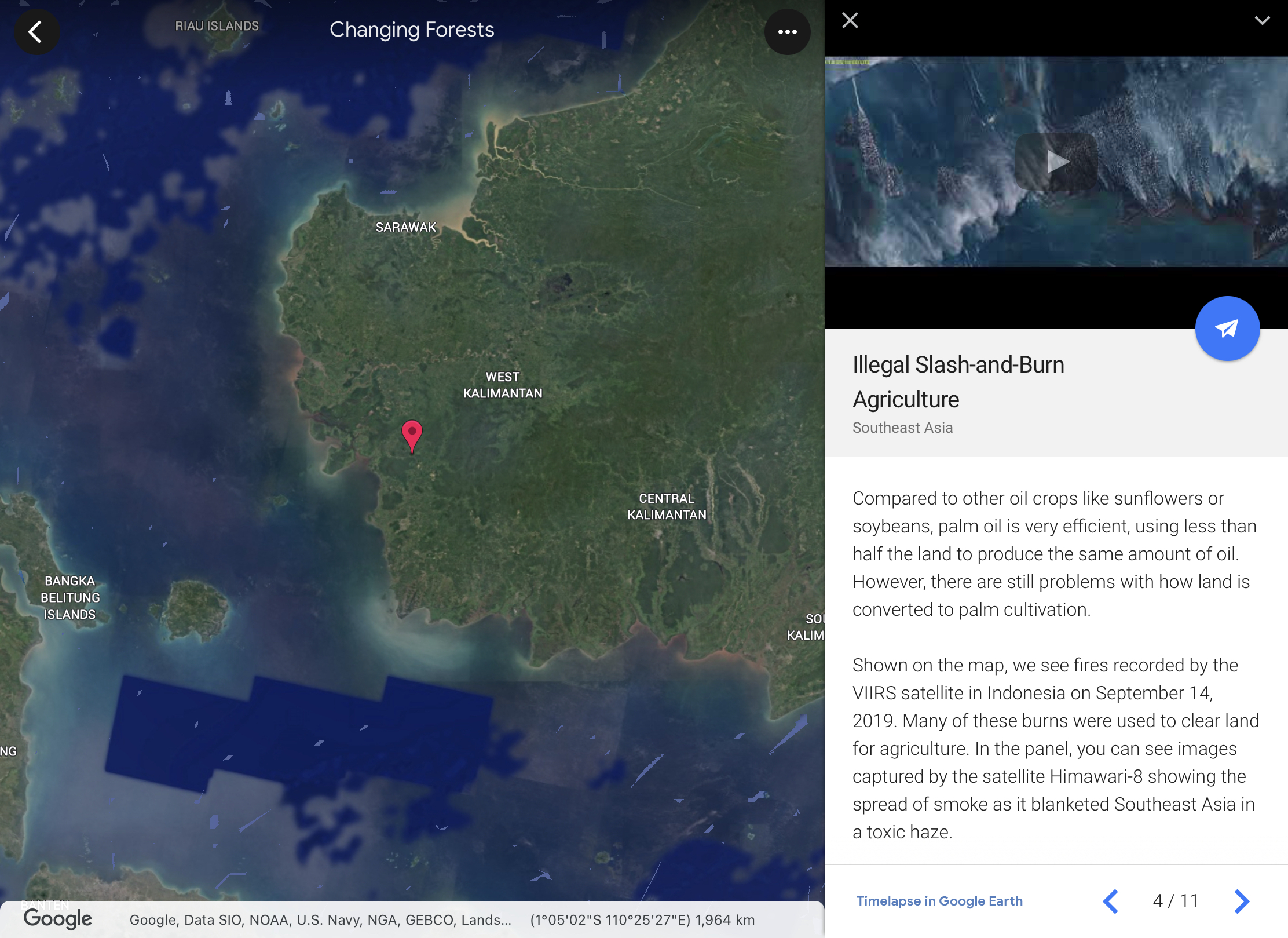
Love the one on Changing Forests under Timelapse in Google Earth. One can observe the changes over time on the changing landuse and how it impact on the forests in different parts of our Earth. The students will be able to investigate and respond to the geographical issue of deforestation in different parts of the world with a better understanding of Place, Space, Scale and Environment.
You can also access the Google Earth Time lapse on system browser:

The students can explore the unique Earth's ecosystem which is covered in the new upper sec syllabus. Exploring the function, impacts and restoration of Earth's ecosystems under EDUCATION in Voyager.
Students can continue to explore on the culture category in topics such as Orang Asal Indigenous Lands of Malaysia.
Voyager in Google Earth will allow the students to explore the world and have a better understanding of Place, Space, Scale and Environment.
Priya shared in SGLDC how she used Voyager in Google Earth for situationall writing.


.PNG)