Showing posts with label ICT symposium. Show all posts

Jul 5, 2019

N3 ICT Flippity and Linoit with SLS sharing

Attended a sharing @ N3 ICT symposium by Charles Lee on the use of flippity in engaging students in D&T lesson. He has used in particular the one on scavenger hunt - unlocking the locks by the answering the questions correctly just like the mini escape room. He has shared how intrigued his students were in this activity and were able to learn at their own pace.

I have shared on flippity earlier this year- http://ezitnew.blogspot.com/2019/03/flippity-with-google-spreadsheet.html

Really good to see it in real classroom application.

Just like what Charles mentioned - it takes a great effort in lesson design but is most satisfying seeing how engaged the students are.


I tried embedding it in SLS but couldn't - I hope that we will be allowed to embed Flippity to in SLS as the ability to embed in newly introduced last month.Then there is no need to open up the link in a new window. Sane for limit. It's still useful if you want to show categories.

The other tool he shared was linoit. I have used it mainly for comments or to get groups to do a quick record of their findings either by text, picture or even capture a short video of their work.
http://ezitnew.blogspot.com/2011/09/creating-sticky-note-and-embed-in-your.html 
I like how he used it to get the students to do categorization and be critical in their choice. I would think that thinking routine 3 columns can perform the same task. However I have tried it in my lesson and its great in allowing for movement of the idea that is in the wrong category.

Slides from the N3 ICT sympsium
http://n3ict.weebly.com/symposium-slides-2019.html


Simply love thinking routine. He had also used it in the form of exit pass at the end of the lesson. For me I had been using it more as a form of critical thinking on a stimulus - see, think and wonder.


Jun 30, 2017

N3 ICT symposium 2017 Google and Apple

Excited to learn more ICT tools and classroom apps which we can use.

Google online tools
Thanks to Yijie for his wonderful sharing on online assessment tools. 
You can see more of his sharing on his blog - https://borderlesslearningblog.wordpress.com/

Had been using Quizlet and was not aware of the live version which allows for collaborative learning.
You can learn more of Quizlet Live here https://quizlet.com/en-gb/features/live
My earlier post on the use of Quizlet: http://ezitnew.blogspot.sg/2014/04/quizlet.html

Tried out the Quizlet.live during the concurrent session:
https://quizlet.com/live
Through this, the students will learn the rule of the game on their own and collaborate to win the game by matching the correct answer to the question. As they are assigned to a team by the game, they will have to work with classmates whom they might not have work with. It was kind of chaotic when we were told to look for our group assigned. And as we were not sure how it was played, many of us had to start all over again.
Hint: the answer is only available to one member of the group and if it is matched incorrectly, the group has to start all over again.

Edpuzzle.com which you can produce interactive video in which questions can be inserted at intervals to assess the viewer's understanding. I just hope that it's as useful as zaption which had been shut down. Was really disappointed when they shut down zaption and those which I had embedded in Google sites could no longer be used. Hope this will stay.

Will be trying another similar tool which I saw online. Rich lesson resources shared on http://ed.ted.com/ and you can also create your own! Like the fact that you can add in questions to check for understanding (Think) as well as able to post information and links for them to explore further (Dig deeper). It also provide a platform for discussion (Discuss). 


Learned this from another member of the  SG Learning Designer circle - https://www.playposit.com/

Wow so much to explore - will compare the 3 above!


This one on animated tsunami is so good - http://ed.ted.com/lessons/how-tsunamis-work-alex-gendler#review 

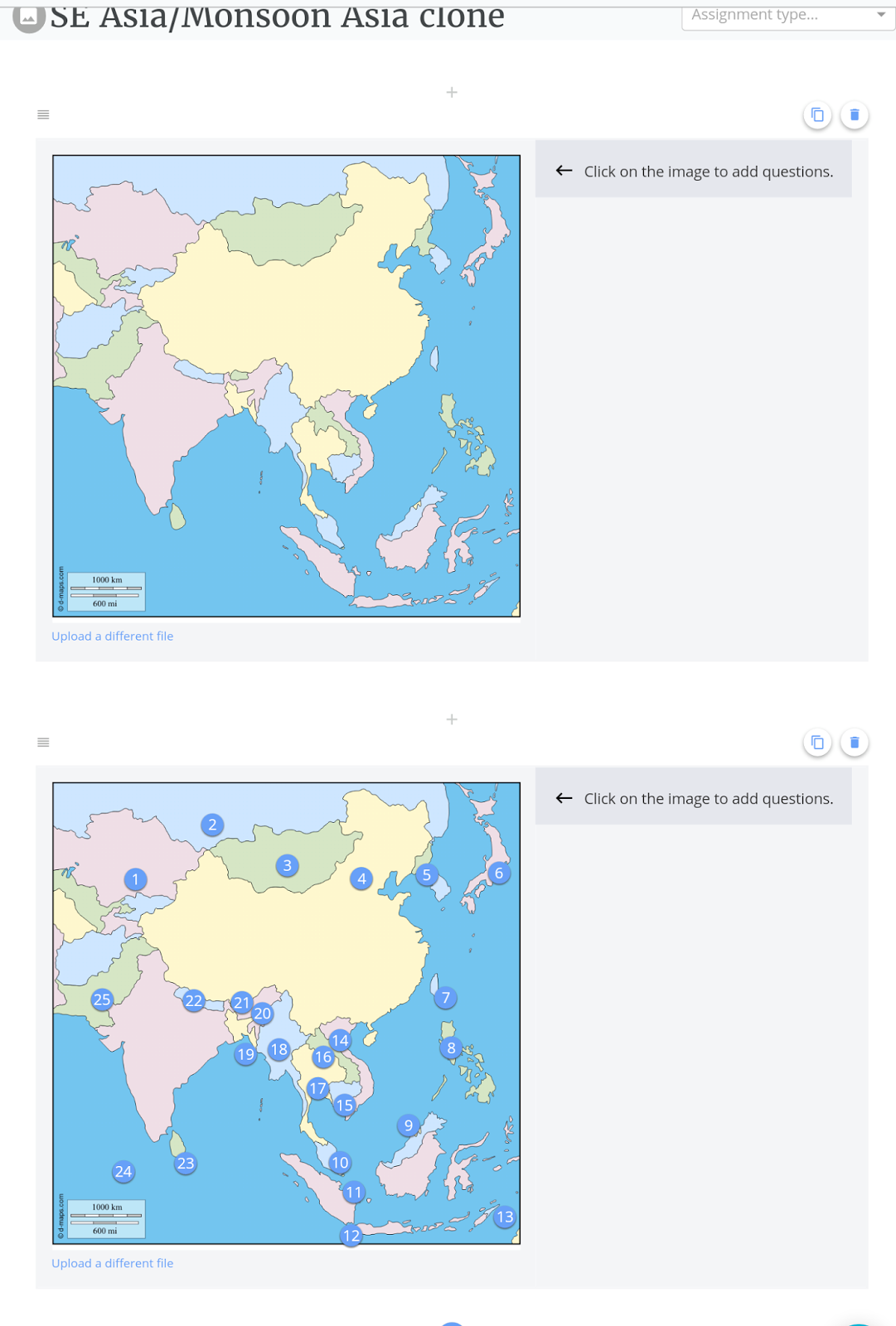
Goformative.com seems good with a library of ready available assessment such as one to label countries in Asia. It can be easily cloned and new questions added. Will feedback more when I try it out with my classes.


A lot more to explore @ http://flippity.net which seems to be similar to  http://www.classtools.net which I have been using.


Have yet to explore pear deck and quizzi. I had posted on the use of kahoot which I shared in the symposium 2 years ago 

http://ezitnew.blogspot.sg/search/label/kahoot?m=1

Comparison of the tools:


Apple classroom apps

With Apple Classroom, you can easily launch the same app on every student device at the same time, or launch a different app for each group of students. Love the control Apple classroom has but need to check out the hardware such as Apple TV and the wifi router etc as well.

I love the control the teacher has over the class as I could launch an app to all students and get them all to work on it e.g. notes.

To ensure that all of them are on task, I can lock the app for the duration which I want the students to work on e.g. notes

Using the connection with Apple TV connected to the projector, the teacher can disconnect and allow selected sudent to share his or her work via airplay. An improvement will be addition of screen code so that only the selected student has access to the projection. I can also lock their iPads and get them to focus on the whiteboard or other tasks not on iPad. The teacher can also mute students iPad if it become too noisy.

However the app only work  with version 10.3 and above. The students will need to switch on the wifi and bluetooth on their ipads. With the apple TV connected to projector, the teacher can move around with the ipad and monitor the class with the ipad.


Jul 1, 2015

N3 ICT symposium 2015

I shared the use of Kahoot @ N3 ICT symposium 1 July 2015:


Kahoot presentation from Lily Lee

Just learned that Kahoot introduced the Ghost mode. Please see my earlier post which I have updated - http://ezitnew.blogspot.sg/2015/01/kahoot-online-quiz.html Great that we can now get the students to do the quiz again. 

I have some of the kahoot in Ghost mode on the links below.
https://sites.google.com/a/moe.edu.sg/sec3geog/kahoot---revision-quiz
https://sites.google.com/a/moe.edu.sg/sec-4-geography/kahoot-quiz

I have also attended the sharing by my colleague, Mr Shaw Wee.  He has presented on the use of Video Physics app Vernier - available on IOS (Apple) to understand the relationship between velocity and acceleration.
  1. capture a video of objects thrown vertically and also capturing horizontal movement
  2. track the movement
  3. analyse the data
A similar one on android will be Physics Gizmo - https://play.google.com/store/apps/details?id=com.brokenairplane.physicsGizmo&hl=en  free

An interesting app shared during the ICT symposium - Aurasma

It can be downloaded from App Store for IOS and Play store for Androids (however my Samsung Note 4 is not compatible and cannot download it. It works on my Samsung Galaxy Pro)
The app offers a lot of potential in creating virtual learning. 
Tutorial on ipad: https://www.youtube.com/watch?v=VJ_UEfoNzbI


Aurasma allows users to create or view augmented reality experiences. The user open up the app and capture the photo with the camera. The image will transform into a video, animation, another image or bring you to a website with more information. 
To create their own Auras, students or teachers choose an overlay and a trigger. An overlay is a video, image, an animation or a website link that will appear when someone finds the trigger object or photo. 
Tutorial on creating a sequenced aura using the aurasma studio https://studio.aurasma.com/login
https://youtu.be/CaczBAfdRns - so cool being able to create a scavenger hunt with photos. User just scan the photo and could see a video or even a url link providing more information.

Use of Aurasma in teaching:

https://youtu.be/uHIxYpBW7sc?list=PLYk2ySKukLs6Fih_6xze0EYRyGJguDYCF

Use of Aurasma in learning nature:

https://youtu.be/WRS_nZOOMyY?list=PLYk2ySKukLs6Fih_6xze0EYRyGJguDYCF


Jul 4, 2013

Blogging as a tool for updating information, sharing and a reflective practice


The slides for my presentation on blogging today at the N3 ICT symposium -Pei Hwa Secondary School.

Sep 18, 2012

N3 Cluster ICT Symposium Sharing on Prezi

I shared with some teachers from the N3 cluster during the ICT symposium on how I used Prezi, Linoit and Blog for my Sec 2 class on tourism today.
You can refer to my earlier post on how to use  Prezi -http://ezitnew.blogspot.sg/2012/09/prezi.html
For Linoit you can refer to my post on http://ezitnew.blogspot.sg/2011/09/creating-sticky-note-and-embed-in-your.html
For Blog you can refer to my post on  http://ezitnew.blogspot.sg/search?q=blog
My students' works are on http://2etourism.blogspot.sg
The powerpoint which I used today: